On your profile page of traffic swarm, click on the top tab that says resources.


Prevent yourself from getting banned from adsense.
1) Read the tos and programe policy of adsense. And follow all that very strictly. Remember it changes as well, so keep looking it as frequently as possible.
2) Don’t tell your adsense websites to anyone you know. Friends and family should never know about your adsense websites or blogs. If any friend get’s your adsense links, he may click your ads to help you, and you can get banned. Moreover if your friend turns enemy then you will sure have problems.
3) Don’t make enemies online. Avoid enemies on Internet, as they might give your ads a 20 click and you can get banned instantly.
4) Do not click on your own ads. I don’t think I need to tell you, still am saying because many of you think that clicking once doesn’t hurt, but am telling you one click is enough for your adsense to say goodbye.
5) Google’s crawlers knows everything, don’t try to cheat them. If you play honestly then it will help you more than anyone else.
6) Try to make content, rather than optimize for keywords as made for adsense websites are not tolerated by google any more.
7) Don’t buy duplicate content, or the adsense templates, these same templates are used by so many people, google may ban you for duplicate content.
8) Don’t edit your ads, you already get a lot of opportunities to get a desired ad format and color, there is absolutely no reason to edit your ads once you get it.
9) Don’t put your ads in pages with less content. Also mp3 and video download sites are a violation of the tos so avoid those aswell.
10) To say the least, adsense is not allowed for porn and adult content pages, so stay away from those pages.
Try to make websites and blogs to improve the Internet, add resource and knowledge in text, so that Internet becomes a better place. Don’t create pages simply to make money. Ask yourself, if there is no adsense, will you still be making these websites etc. your primary reason to make websites should not be to make money from adsense. Rather adsense should be treated as an optional feature, that makes your website better.
Remember it’s better to play safe when you are with adsense. An adsense account once blocked is gone for ever.
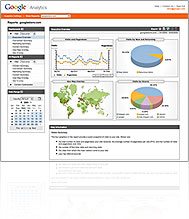 Google analytics is the best place where you can know where your website’s traffic is coming from. https://www.google.com/analytics/home/ . You can see the graph which will tell you from where your traffic comes from. It can be from any part of the world, and then you know, how popular your blog or website is in which part of the glove. For using this, you need to copy the tracker. The tracker code will be available when you register your website with analytics. When you will paste that code in your website, you will be able to track your website. More of less this service is reliable. And most other free services that give such facilities are not so accurate. We have seen using most counters, they even count your visit if a person dose a refresh of the page.
 I will also give you another website which dose somewhat the same work. But the free service of this website is also not that bad. Actually it as more features than the analytics. You can try this website as well.
Article writing is the best method of getting backlinks. You can write thousands of articles and submit them is hundreds of article submission websites. This is the best way to develop backlinks. Article submission is better than directory submission, because article submission websites are not blacklisted as most directory submission. And most of all, there is not much difference between directory submission and link exchanges. Directory submission is better, if you are submitting on page rank 6 directories or above, but there is very few pagerank 6 and above directories available. On the article submission sites, page rank 6 is pretty common.
Any search engine bot indexes links easily with they get unique contents, so writing articles are is the best way to do it.
So, what are the things you should look at, while selecting an article submission website. First of all, check the page rank, if the google page rank of an article submission website is not available then stay away from that website. There is no harm in a page rank 0 website, in case the website’s pagerank is grey which says, “this website is not currently ranked by google”, means it’s a blacklisted website. This is known as “grey shade”. Page rank can be found in google toolbar. Also there is no use to submit page rank 0 websites also. So target your articles in page rank 4 and above website to gain proper backlinks.
Write an article describing your website. Take time and write as long as possible. Check your article for spelling and grammar, as most of article submission websites won’t accept wrong English articles. You can also get your articles written by some professionals if you are unable to write quality English. Most article submission websites have a resource box, so you enter your website’s URL’s there. When the article will be submitted, and approved. It will be posted in the article submission websites. Your article will have your website’s URL listed there. When the search engine crawlers will read the article, they will also index your website, or crawl your website. This way you can get your website indexed, and increase your page rank. This is one of the most important part of seo today.
Take your time, slowly submit your articles, and keep submitting them as often as you can. Try to write more article, rather than submitting the same articles again and again. One word of advice, first publish those articles in your website. Then wait for the search engines to index that article. After that submit that article to as many websites as you can, this way the original content remains with you.
Search in google by “article submission” and you will find all the article submission websites. Keep submitting all your articles to get a lot of backlinks.
bookmark this page, add this page to favorites as you will need this page again, and if you forget the url to this page you won't find it easily. press cont+d.
Submit to some of the great directories, here is an example.
here is the list: http://articleanddirectorysubmissionsitelist.blogspot.com/


